
How big is a minute of 1080p, 2K or 4K video?
One minute of 16:9 video in H.264, the default format, with the bitrate in brackets.
| File size | 1080p | 2K | 4K |
|---|---|---|---|
| Smaller | about 23 MB (3.1 Mbps) | about 50 MB (6.6 Mbps) | about 128 MB (17.1 Mbps) |
| Standard | about 46 MB (6.1 Mbps) | about 99 MB (13.2 Mbps) | about 257 MB (34.2 Mbps) |
| Larger | about 74 MB (9.8 Mbps) | about 158 MB (21.1 Mbps) | about 410 MB (54.7 Mbps) |
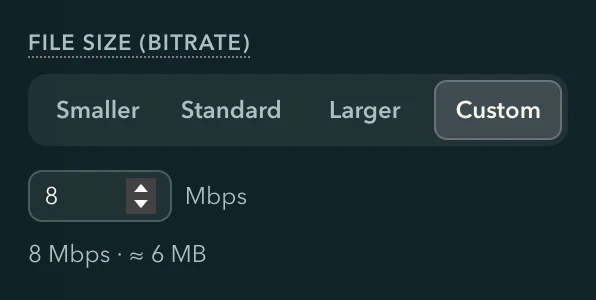
File size is under More options in the Upscale panel, and Standard is the default. Pick one of the three, or Custom to type any bitrate from 1 to 100 Mbps; the expected size updates as you choose. The bitrate is how much data each second of video takes, so a higher number means a bigger file with more detail.
Which file size for a chat app, email, a video site or an archive
| What the video is for | Pick | Why |
|---|---|---|
| Sending in a chat app or by email | Smaller | About half the size of Standard, so it is easier to send |
| Uploading to a video site, or watching at home | Standard | The default, close to what video sites ask for in an upload |
| Keeping as an archive, or editing later | Larger | Keeps the most detail, so it holds up to another edit or encode |
| A site or device with a bitrate limit | Custom | Type the bitrate it allows, and the panel shows the file size |
H.264, HEVC, VP9 or AV1
| Format | Size for the same picture | Good to know |
|---|---|---|
| H.264 | The sizes above | The default; plays on the most devices |
| HEVC | About 60 % | The player needs HEVC support |
| VP9 | About 60 % | An open format, the WebM default |
| AV1 | About 40 % | The smallest files and the slowest encode |
Change the size, format, container or frame rate after upscaling
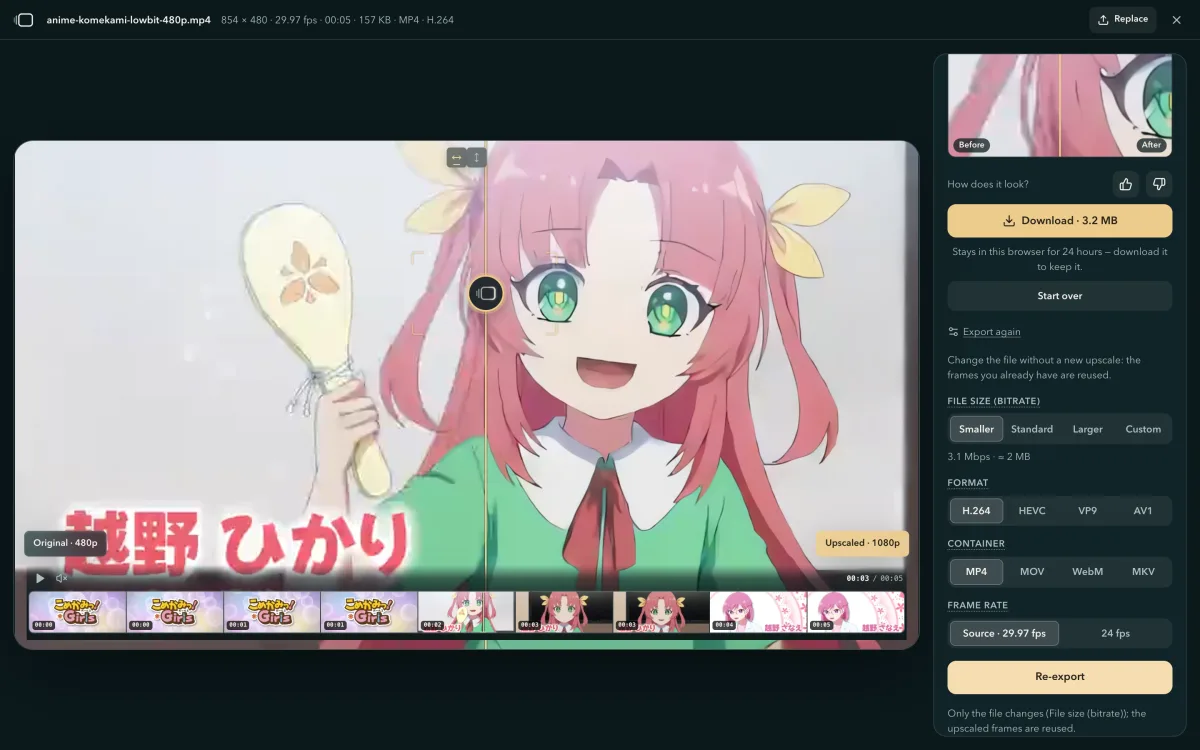
- When the video is done, open "Export again".
It sits in the finished view and uses the video you already upscaled, so the upscale doesn't run again.
- Choose a new file size, format, container or frame rate.
Change one row or several. For example, download a Larger MP4 to keep, then export a Smaller one to send to a friend.
- Press "Export again", then download.
Your previous file stays until the new one is saved, and then the new one takes its place, so download the first file before you export another if you want both.
| To change | Where | Is the video encoded again? |
|---|---|---|
| Container (MP4, MOV, MKV, WebM) | Container | No, it is copied unchanged when the new container carries its codec (WebM carries VP9 and AV1) |
| File size or format | File size, Format | Yes, once |
| Frame rate | Frame rate, a lower rate such as 24 fps | Yes, once; frames are dropped, none are invented |
| Output size, crop or quality | Start over, then upscale again | A new upscale |
Firefox on Windows and Mac
| Computer or phone | Browser |
|---|---|
| Windows | Chrome or Edge 113 or newer, Firefox 141 or newer |
| Mac | Chrome or Edge 113 or newer, Safari 26, Firefox 145 or newer on Apple silicon |
| ChromeOS | Chrome 113 or newer |
| Android phone | Chrome 121 or newer on Android 12 or newer |
How your phone's browser cleans up and upscales video
4K Video Upscaler cleans up and upscales video in a phone's browser, on the phone's own graphics chip, and the video never leaves the phone. From version 2026.09.24 its engine, SR Engine, computes the restoration networks in 8-bit integers on phones whose graphics chip can multiply four 8-bit integers at once, cuts a frame into bands by the rows each layer reads, and measures the fastest block shape on the device itself.
8-bit integers
1.9×faster than 16-bit floats for the heaviest restoration network, on a 2023 flagship phone
8-bit integers on phones whose chip supports them
When a phone's graphics chip can multiply four 8-bit integers at once, the restoration network's weights are quantized to 8 bits and summed in 32-bit integers, each layer scaled by a calibration file shipped next to the model; other phones and all computers stay on 16-bit floats. On a 2023 flagship phone the heaviest restoration network takes 3.22 s per 720p frame in 8 bits and 6.24 s in 16-bit floats. How long your own video takes shows under Start once you have picked the settings.
49.9–50.1 dB PSNR against the integer reference; the tests fail below 44 dB, and banded runs match whole frames.
Bands planned backwards
4.6%extra rows for the heaviest restoration network at 720p, under a 128 MiB budget
In bands, only the rows that are read get computed
A frame that does not fit the memory budget is cut into horizontal bands, and each band carries the extra rows its layers read. The planner works back from which layer reads what and computes only those rows: 4.6% extra for the heaviest restoration network, 1.1% for Fast's second step.
Tuned on your chip
18%faster for the heaviest network on a Mac's Apple graphics chip with the right block shape
It measures the chip instead of guessing
The fastest block shape depends on the network and the chip together. The first time a model runs on a device, the engine tries each candidate on a reduced frame, keeps the fastest and reuses that answer afterwards; a candidate replaces the default only when it is more than 8% faster.
Phone chips already known to lose with the wider shapes skip the measurement.
Questions about file size and Export again
- How big is one minute of 4K video?
- In the default H.264 at Standard, about 257 MB; 2K about 99 MB and 1080p about 46 MB. Smaller is about half of that, and Larger about 1.6 times.
- The upscaled file is too big to send. How do I make it smaller?
- Press Export again and choose Smaller; the upscale doesn't run again. For the next video, set File size to Smaller, or type a lower bitrate under Custom, before you press Start.
- What bitrate should I use for 4K?
- Standard is set close to what video sites ask for in an upload: about 34.2 Mbps for 4K in H.264. For watching on a phone, Smaller (about 17.1 Mbps) is enough; for an archive or more editing, choose Larger (about 54.7 Mbps).
- Does changing MP4 to MKV re-encode the video?
- No. A new container copies the video and sound unchanged when it carries the same codec, as MKV does. A new file size, format or frame rate encodes the upscaled video once more.
- Can I lower the frame rate after upscaling?
- Yes. Under Export again, Frame rate offers lower rates, such as 24 fps for a 30 fps video, without a second upscale. Frames are dropped to reach the lower rate; none are invented.
- Which codec makes the smallest file?
- AV1, at about 40 % of the H.264 size for the same picture; HEVC and VP9 come out at about 60 %. H.264 makes the largest file but plays on the most devices.