
SeedVR2 is an open-source video restoration model from ByteDance Seed, in a 3B and a 7B size, under the Apache 2.0 licence. It draws each frame again at the new size with a one-step diffusion model: it puts back skin, hair and brick that a soft or damaged video lost, and it also draws detail the original never had.
Most people run it through ComfyUI. On a 16 GB NVIDIA graphics card, SeedVR2's 3B model took about 70 minutes to make 1080p from one minute of 480p video, 2.3 seconds a frame; in the same PC's browser, 4K Video Upscaler finished that minute in about 16 seconds with Fast. SeedVR2 is worth the wait for a short clip that needs repair. For a long video, a phone, or footage that should stay as it was, a browser upscaler fits better.
What is SeedVR2?
SeedVR2 restores and enlarges video. ByteDance's Seed research team published it with a paper and released the code and the models.
It is a diffusion model, the same family as AI image generators. A classic upscaler enlarges the pixels a frame has; SeedVR2 draws the frame again at the new size, guided by the old one, so it can fill in skin, hair and brick the video never held. It was trained to do this in a single diffusion step.
3B and 7B
Two sizes, in billions of parameters. The 3B was distilled from the 7B: less than half its size, and the one that fits a home graphics card most easily. The 3B comes as FP16, FP8 or GGUF Q4 files of 6.8, 3.4 or 2.0 GB, the 7B as FP16 or mixed FP8 files of 16.5 or 8.5 GB, and both use a 0.5 GB VAE file.
Apache 2.0
The code and both models are under the Apache 2.0 licence: free to use, to change and to build into something you sell, with the licence and its notices kept.
ByteDance's own scripts need 80 GB H100 cards
One card handles 100 frames of 720p; 1080p or 2K needs 4 of them. Home cards run SeedVR2 through the community's ComfyUI node, which splits the work to fit (below).
How much VRAM does SeedVR2 need?
Making 1080p from 480p with VAE tiling and five frames a batch, SeedVR2's 3B model (FP8) peaked at 6.5 GB of graphics memory (VRAM) and the 7B (FP8) at 10.5 GB. With our 16 GB card held to 8 GB, the 3B still ran once its VAE tiles were cut to 512 pixels; the 7B ran with BlockSwap on, held to 12 GB and to 8 GB.
We measured on a desktop PC with a high-end NVIDIA graphics card (RTX 30–50 series), whose card has 16 GB, and held that card to less memory to stand in for 12 GB and 8 GB cards. The cap holds memory only, so every row runs at that card's speed. Three things set the need:
- The model: 3B or 7B, and how compressed its file is.
- The output size: 4K needs far more than 1080p.
- The batch: how many frames it restores together (1, 5, 9, 13 …); past five, the memory jumps.
SeedVR2 works in three steps: its VAE encodes each frame into a compact form, the DiT, the part that restores, works on that, and the VAE decodes the result at the new size. Two switches in the community node bring the memory down: VAE tiling cuts each frame into tiles for the encoding and decoding, and BlockSwap keeps part of the DiT in system memory and moves it to the card piece by piece.
| Model | VRAM used | System memory | Per frame |
|---|---|---|---|
| 16 GB of VRAM | |||
| 3B, FP8 | 6.5 GB | 6.6 GB | 2.3 s |
| 3B, FP16 | 9.2 GB | 8.8 GB | 2.4 s |
| 7B, FP8 | 10.5 GB | 10.1 GB | 2.9 s |
| 7B, FP16BlockSwap on | 5.1 GB | 30.4 GB | 5.1 s |
| Held to 12 GB | |||
| 3B, FP8 | 6.3 GB | 6.6 GB | 2.3 s |
| 3B, FP16 | 9.2 GB | 8.9 GB | 2.4 s |
| 7B, FP8BlockSwap on | 5.2 GB | 17.9 GB | 3.7 s |
| Held to 8 GB | |||
| 3B, FP8 | 6.1 GB | 6.6 GB | 2.2 s |
| 3B, FP8BlockSwap on | 3.1 GB | 8.5 GB | 2.4 s |
| 3B, GGUF Q4BlockSwap on | 4.2 GB | 6.8 GB | 2.5 s |
| 7B, FP8BlockSwap on | 3.0 GB | 17.8 GB | 3.7 s |
On 8 GB, the GGUF file the node suggests for small cards ran too, with BlockSwap, but slower than FP8: 2.5 seconds a frame against 2.2. A real 8 GB card also holds the desktop; with BlockSwap on, the 3B in FP8 needed only 3.1 GB, at 2.4 seconds a frame.
SeedVR2 out of memory or suddenly slow? Turn on VAE tiling
Without tiling, decoding five frames of 1080p needed 21.9 GB on the 16 GB card. Windows doesn't stop with an error: it moves the overflow into system memory, and each batch of five took 63 seconds to decode instead of 6. If a run suddenly crawls, it has overflowed: turn tiling on, use smaller tiles or fewer frames a batch. Held to 8 GB, the default 1024-pixel encoding tiles went over the cap; 512-pixel tiles fit.
More frames a batch was barely faster and needed far more memory: 2.27, 2.17 and 2.14 seconds a frame with 5, 9 and 17 frames, at 6.5, 11.3 and 10.8 GB on the card. The node's README says a batch as long as the shot keeps the frames most alike. On our clip, a batch of nine flickered least: from frame to frame, its brightness changed 0.1 levels (of 255) more than the original's. A batch of seventeen flickered most: 0.5 levels more.
Set a chunk size for long videos
Without a chunk size, the script holds the whole clip in system memory, about 34 MB more for every 1080p frame: 61 GB for one minute at 30 fps. With a chunk size of 25 frames it streams the video instead: the 3B ran the whole minute, 1,800 frames, in no more than 6.6 GB.
How long does SeedVR2 take?
SeedVR2 takes every frame through three steps: it compresses the picture into the form its model works on (VAE encoding), the 3B or 7B model restores and enlarges it (DiT), and the result is turned back into a picture (VAE decoding). On the 16 GB card, with one minute of 480p video going to 1080p, the 3B spent 0.52 seconds a frame compressing, 0.57 restoring and 1.10 turning it back; with the colour matching, the model loading and the video read and written, the 1,800 frames took about 70 minutes. The 7B is slower only in the middle step, 1.33 seconds a frame, so in all it took 36% longer. Run in chunks, the model goes off the card after each chunk and back on for the next, and that counts in the middle step too; the 7B's model is bigger and takes longer to move, so it averages more per frame here than in the memory table above, where a short clip ran in one go.
| On the same PC | Average frame | One minute of video |
|---|---|---|
| SeedVR2 7B (FP8) | 3.1 s | |
| SeedVR2 3B (FP8) | 2.3 s | |
| Ultra | 70 ms | |
| Pro | 38 ms | |
| Fast | 9 ms |
For one minute of video, SeedVR2 3B took 260 times as long as 4K Video Upscaler's Fast, and 32 times as long as its Ultra. To 4K it takes far longer: from 720p, the 3B model needed 9 seconds a frame, about 4 times its frame at 1080p. That was with BlockSwap on and a chunk size of 5 frames. Without BlockSwap, restoring the frames filled the 16 GB card, and a frame took 20 seconds; without chunks, each batch took longer than the one before, 38 seconds a frame on average.
How good is SeedVR2 on faces, tape, AI video and text?
We sent the same clips through a plain enlargement, the three tiers and SeedVR2: a DVD-like face and a tape-like street made from an HD film, a low-bitrate 480p copy of a 4K stock clip, two AI clips and a screen recording of code. All but the AI clips have their original to compare against.


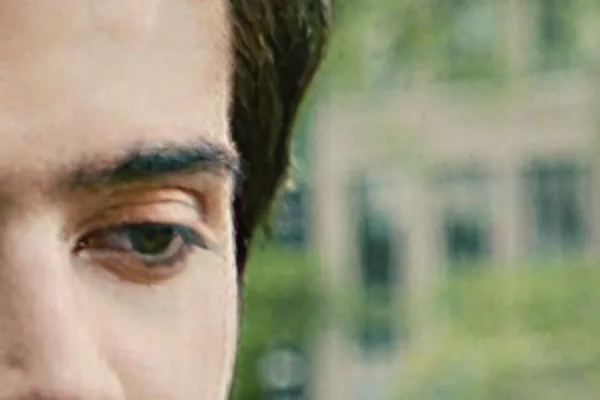



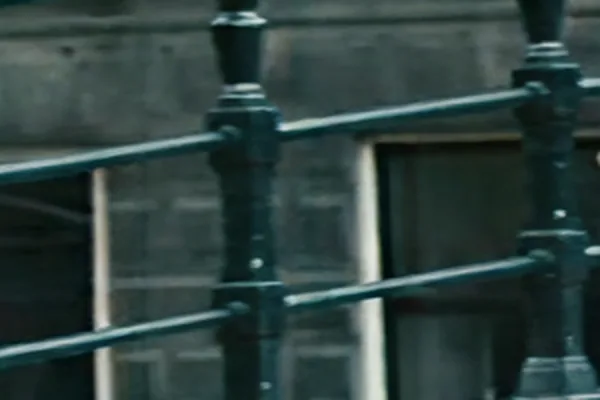





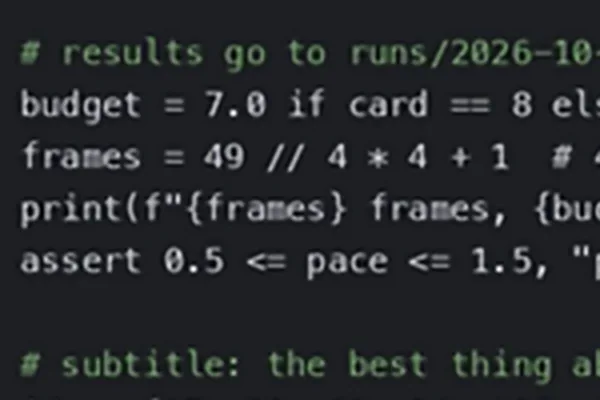
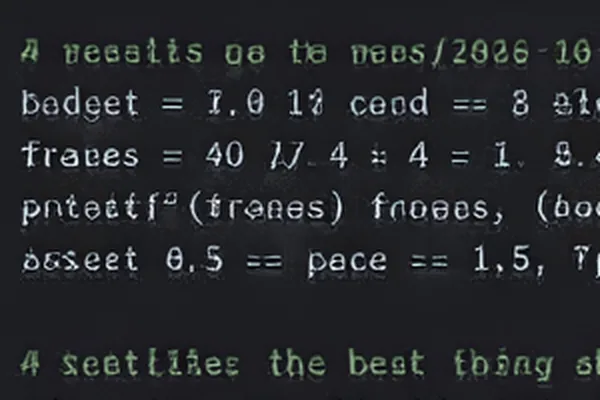
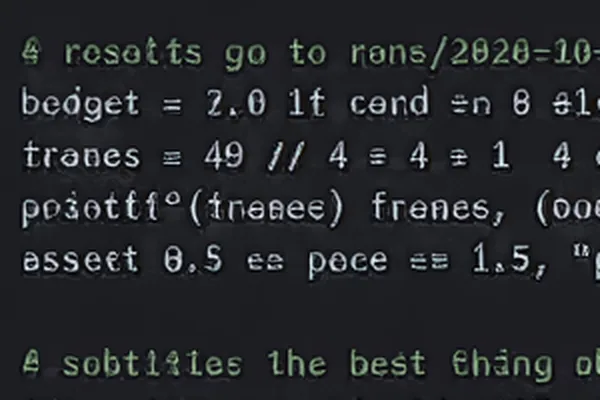
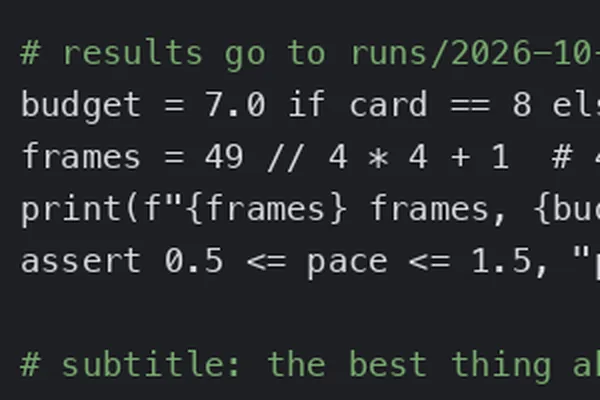
Frames: Tears of Steel (2012), Blender Foundation, CC BY 3.0; the DVD-like and tape-like copies, the AI clips and the screen recording made by us.
Scored against the original, SeedVR2 looked the most like it on the face and the low-bitrate clip, and level with a plain enlargement on the street. The score is LPIPS, which learned from people's judgements how alike two pictures look; lower is closer:
| How alike (lower is closer) | DVD-like face | Tape-like street | Low-bitrate 480p clip |
|---|---|---|---|
| Plain enlargement | 0.22 | 0.17 | 0.28 |
| Fast | 0.24 | 0.18 | 0.27 |
| Pro | 0.18 | 0.18 | 0.25 |
| Ultra | 0.26 | 0.24 | 0.26 |
| SeedVR2 3B | 0.14 | 0.17 | 0.20 |
| SeedVR2 7B | 0.14 | – | 0.21 |
Pixel by pixel it is the other way round. PSNR measures how close each pixel lands to the original's, and higher is closer: SeedVR2 scored below the plain enlargement, Fast and Pro on all three clips, 30.2 dB against 32.4 for Fast on the low-bitrate clip. The detail it draws looks right without being the original's.
SeedVR2 restores 5 frames at a time, and the joins show. On the low-bitrate clip the brightness jumped at every join: from the last frame of one batch to the first of the next, it changed 1.1 levels more than the original's. Inside a batch it changed no more than the original (−0.1). On the AI anime clip, the lines it drew changed from frame to frame inside a batch too (2.1, against 0.1 for Fast). The tiers enlarge each frame on its own, with no joins. On the tape-like street, where the noise changes every frame, every result flickered more than the plain enlargement's 1.7 levels: Fast 3.2, Pro 3.1, Ultra 5.1 and SeedVR2 4.1.
SeedVR2 restores skin, hair and brick
On the DVD-like face it came closest to the HD original of anything we ran; on the tape-like street it was level with a plain enlargement.
SeedVR2 draws detail the original never had
Eyelashes and eyebrow hairs come out sharper than in the HD original, and clean line art gains extra lines. The 7B took 36% longer; by LPIPS it came a little closer to the original than the 3B on the face, and a little further from it on the low-bitrate clip.
SeedVR2 changes small text and digits
In the recording of code it changed digits and letters on every line, with either model; Fast, Pro and Ultra kept them all. The large subtitles of a 720p AI clip came through both models unchanged.
How do you run SeedVR2?
Install SeedVR2 in ComfyUI
- In ComfyUI's Manager, open Custom Nodes Manager, search for ComfyUI-SeedVR2_VideoUpscaler and install it.
- Restart ComfyUI.
- Drag the node's example workflow, SeedVR2_HD_video_upscale.json from its example_workflows folder, into ComfyUI. It comes wired: Load Video → Get Video Components → SeedVR2 Video Upscaler → Create Video → Save Video, with SeedVR2 (Down)Load DiT Model and SeedVR2 (Down)Load VAE Model plugged into the upscaler's dit and vae inputs.
- With 12 GB of VRAM or more, choose the 3B FP8 model in the DiT loader, turn on encode_tiled and decode_tiled in the VAE loader, and set batch_size to 5 in SeedVR2 Video Upscaler. With 8 GB, also set encode_tile_size and decode_tile_size to 512.
- For 4K, set both tile sizes to 512 as well, and turn on BlockSwap in the DiT loader: offload_device to cpu, and blocks_to_swap to 32 for the 3B or 36 for the 7B.
- Run it. The model files download by themselves the first time, into models/SEEDVR2.
ComfyUI also has SeedVR2 nodes of its own, built in.
What if Hugging Face is slow or unreachable?
The node downloads from Hugging Face. If that is slow or does not connect, ModelScope has the same numz/SeedVR2_comfyUI repository; the files we downloaded there are byte-for-byte the same as Hugging Face's. Put them in ComfyUI's models/SEEDVR2 folder.
Run SeedVR2 from the command line
The node comes with a script, inference_cli.py, that runs without ComfyUI's interface; it is what we measured with. This is the 16 GB setting. With 8 GB, and for 4K, add --vae_encode_tile_size 512 --vae_decode_tile_size 512; for 4K add BlockSwap too, --dit_offload_device cpu --blocks_to_swap 32 --swap_io_components, with a chunk size of 5. The chunk size makes the script stream a long video instead of holding it all in memory:
python inference_cli.py clip.mp4 --resolution 1080 --dit_model seedvr2_ema_3b_fp8_e4m3fn.safetensors --batch_size 5 --vae_encode_tiled --vae_decode_tiled --vae_decode_tile_size 768 --vae_decode_tile_overlap 96 --chunk_size 25
Try SeedVR2 online
ByteDance Seed's demo on Hugging Face takes a video up to 720p and 121 frames long. Other sites run it as a paid service.
SeedVR2 or a browser upscaler?
Use SeedVR2 for a short clip that needs repair
Tape noise, compression blocks or a face gone soft, a few seconds to a few minutes long, with 8 GB of VRAM or more and time to wait: on our 16 GB card, each minute of video took about 70 minutes at 1080p. Its authors warn that heavy damage and very large motion can defeat it.
Use a browser upscaler for long videos
A whole film or an hour of family video, on a laptop, a Mac, a phone or an iPad: free, no account, nothing to install, and nothing uploaded.
Keep faces, line art and text with Fast
SeedVR2 draws them again and can change them; Fast enlarges what is there.
Try it
Press one of the links below: the home page opens with those settings chosen. Then press Choose video.
Updates
- 27 October 2026: first version.